Custom Bike Color Studio offers a straightforward and relaxing way to spend time with colors. The controls are responsive, and the lack of timers or scores removes any stress. The variety of motorcycle outlines provides enough diversity to keep the activity interesting across multiple sessions. It is a solid choice for anyone looking for a quiet, creative pastime that works on any device without setup.
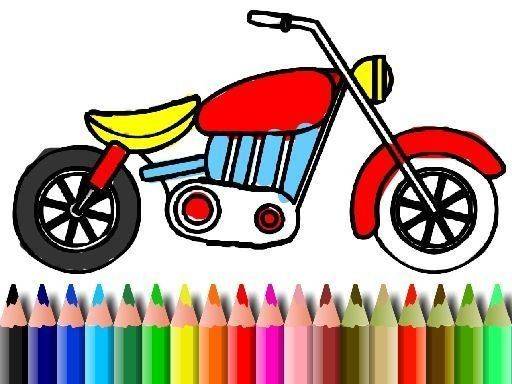
This online tool provides a selection of motorcycle line drawings ready for color. Players can choose any hue from the palette and apply it to different parts of the bike. The interface is straightforward, making it easy for anyone to start creating immediately. There are no rules about which colors to use, so each finished piece can look completely different. The process encourages experimentation with shades and combinations.
Using a mouse or touch screen, players select a color and then tap or click on the area they wish to fill. The selected color instantly covers that section. If a different shade is preferred later, it can be changed without hassle. Some versions include an option to undo the last action, which helps when trying out various looks. The entire experience is designed to be intuitive and responsive.
There are no timers, scores, or competitive elements. This setup allows players to work at their own speed, focusing on the act of coloring rather than reaching a goal. The absence of pressure makes it suitable for unwinding after a busy day or for quiet play. Children and adults alike can find satisfaction in completing a colorful design without any rush.
The activity runs directly in a web browser on both desktop computers and mobile devices. No software installation or account registration is required. Finished artwork can be saved to the device or shared with others. This convenience means a creative session can happen whenever inspiration strikes, whether at home or on the go.








Player Comments
Sign in to comment
You must be logged in before posting a review or rating.
No account? Create one
No comments yet. Be the first to comment!