Bouncing Bug: Arcade Coin Chase offers a delightful and accessible arcade experience. The controls are intuitive, making it easy for anyone to pick up and play. The vibrant graphics and smooth animations create an engaging visual style. Collecting coins and unlocking new skins provides a rewarding sense of progression. The global leaderboards add a competitive edge without being overwhelming. Overall, it's a polished and fun game that respects your time and delivers consistent enjoyment.
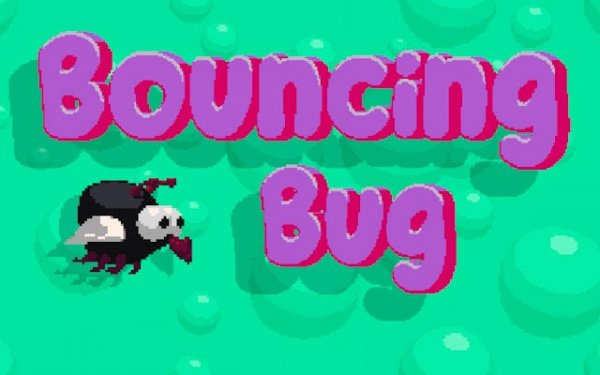
Bouncing Bug: Arcade Coin Chase is a lighthearted arcade adventure where players control a cheerful little fly on a mission to gather shiny gold coins across dynamic playfields. The game balances easy-to-learn mechanics with satisfyingly challenging gameplay, making it suitable for players of every age and skill level. Whether you have a few minutes or an hour, Bouncing Bug delivers fun that keeps you engaged. The core objective is to collect every sparkling gold coin that appears on screen to earn points and in-game currency. Players must stay alert at all times, as larger flies patrol the area in random orbiting patterns. A single bump from one ends the current run, so careful movement planning is essential to avoid patrolling flies and collect as many coins as possible. The game features simple controls that work on any device, a variety of custom skins to personalize the fly, global leaderboards to compete with players worldwide, and smooth vibrant graphics that create an engaging visual experience. Earned coins can be used to unlock fun custom skins in the in-game shop.
Players typically use a mouse, touchscreen, or keyboard arrow keys to move their fly around the play area. The main objective is to collect every sparkling gold coin that appears on screen to earn points and in-game currency. Players must stay alert at all times, as larger flies patrol the area in random orbiting patterns. A single bump from one ends the current run, so careful movement planning is essential to avoid patrolling flies and collect as many coins as possible.
Features include simple controls that work on any device, a variety of custom skins to personalize the fly, global leaderboards to compete with players worldwide, and smooth vibrant graphics that create an engaging visual experience. Earned coins can be used to unlock fun custom skins in the in-game shop.
To succeed, practice moving your fly smoothly to avoid patrolling enemies. Focus on collecting coins in safe areas first, then venture into riskier zones as you gain confidence. Learn the movement patterns of larger flies to predict their paths. Regularly check the leaderboard to see how you compare and set personal goals. Finally, save your coins to unlock skins that may offer visual advantages or simply keep the game fresh.







Player Comments
Sign in to comment
You must be logged in before posting a review or rating.
No account? Create one
No comments yet. Be the first to comment!